
Why Linux for Network Engineers Matters
Okay so we’re starting the Linux for network engineers course now. So you might be sitting there thinking, right I’m a network engineer yeah, I work with routers and switches and firewalls, why on earth do I need to learn Linux?
Learn Python for Network Engineers
That’s a completely fair question actually. And that’s exactly what we’re going to sort out in this first lesson.
So I’ll tell you what happened to me. About five years back I kept hearing about this automation stuff. Boss started mentioning it in meetings. Job adverts all asking for “scripting experience” and “Linux skills”. Thought bollocks, when did that become a requirement then?
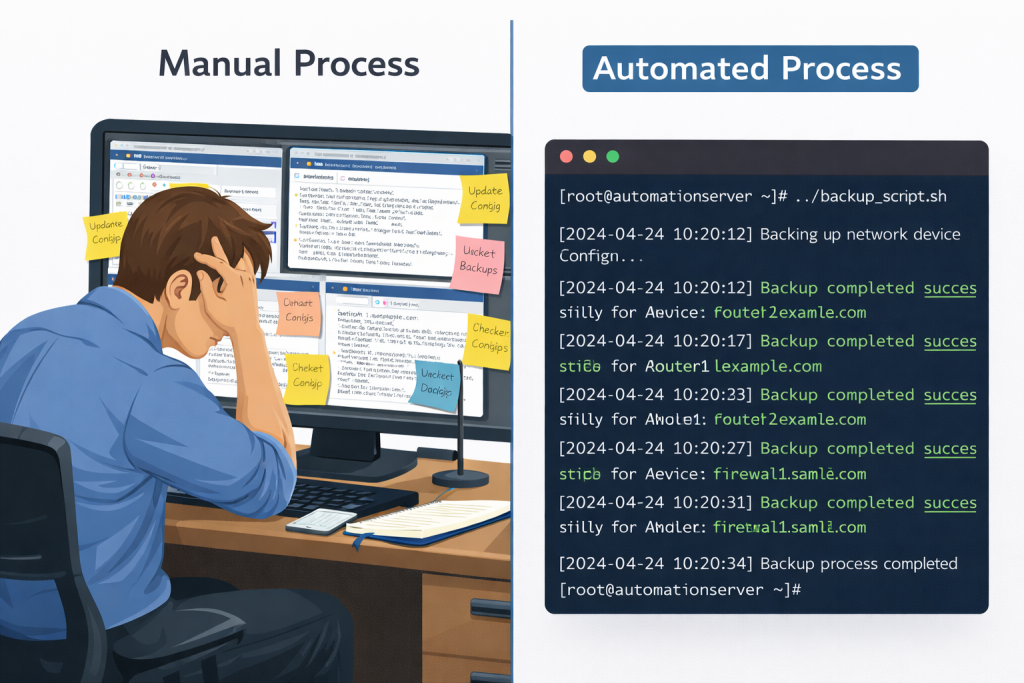
Ignored it for a bit didn’t I. Kept doing things the way I’d always done them. SSH to devices, copy configs, paste them into notepad, manual backups every week. Worked fine for years so why change it.
Then we brought in this new guy on the team. Fresh out of uni, proper young lad. First week he sets up this Linux box, writes some scripts, and suddenly he’s backing up the entire network automatically every night. Getting alerts when configs change. Generating documentation straight from the devices.
I’m thinking hang on, I’ve been doing this job ten years and this kid’s making me look like a dinosaur.
That’s when I realised I needed to get sorted with Linux.
Linux Is Already Running Your Network
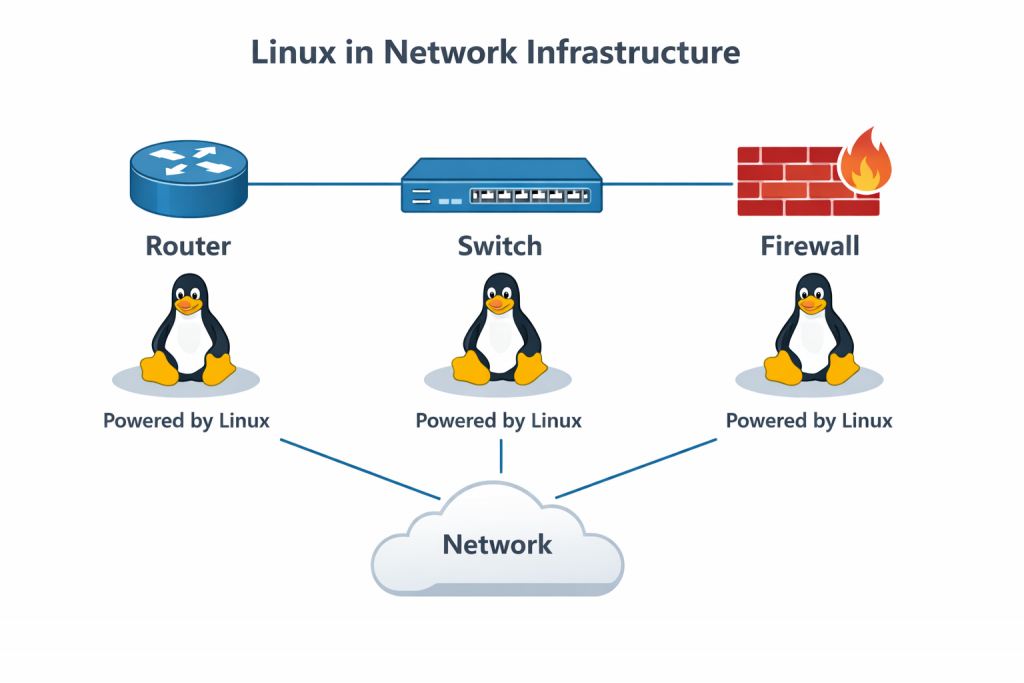
Right so here’s something that might surprise you. If you’re working as a network engineer right now, you’re already working with Linux. You just might not know it.
Let me give you some examples yeah.
Cisco IOS-XE devices. Your ASR routers, Catalyst 9000 switches, ISR routers. All running Linux underneath. In fact if you SSH onto one of these devices and type “guestshell enable”, you drop straight into a proper Linux environment running on that router.
You can run Python scripts in there, install Linux packages with yum, do actual automation directly on the device. That’s all Linux.
Arista switches? Built on top of Linux. You can drop into a bash shell right there on the switch and you’re working in Linux. Run Linux commands directly on the switch. Arista built their entire operating system around the idea that network engineers should have full access to the Linux layer.
Palo Alto firewalls? Linux. Cisco Nexus switches? Got a bash shell, that’s Linux running underneath. Your network monitoring systems, syslog servers, RADIUS servers, NTP servers, TFTP servers? Most of them are running on Linux.
And think about your automation platform. Using Ansible or Nornir or any automation framework? Where do you think those are running? Linux. Your git server storing configurations? Probably Linux. Centralized logging system? Linux.
So the point I’m making here is Linux is already everywhere in your network infrastructure. It’s not some separate thing that system administrators deal with and you don’t need to worry about. It’s literally running the devices you manage every single day.
Job Market Reality – This Bit’s Important
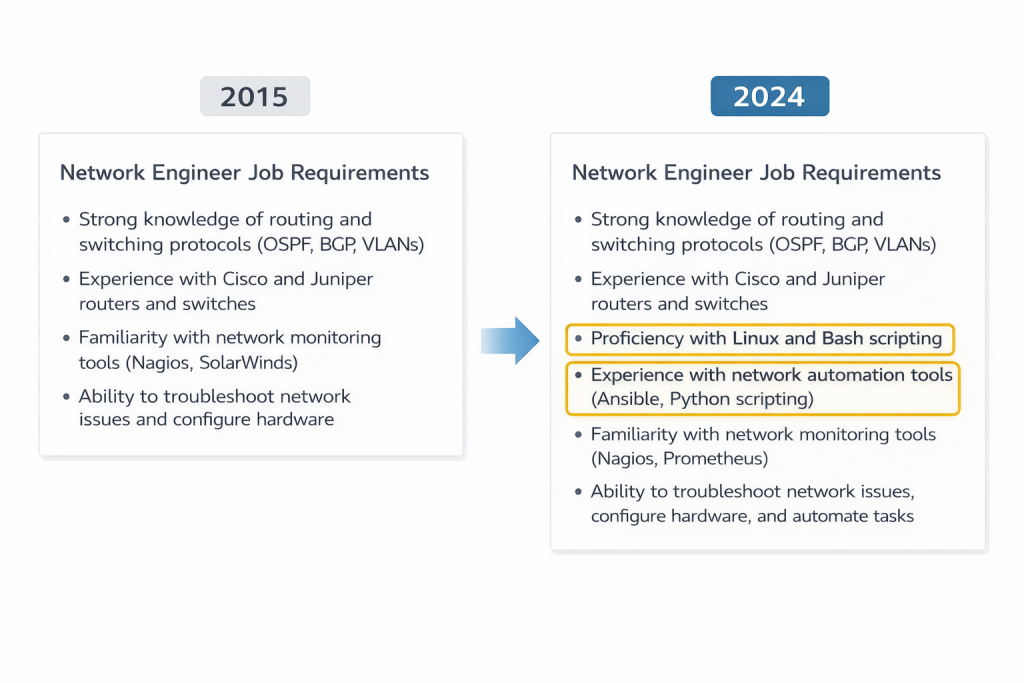
Now let’s talk about the job market for a minute because this is what made me get serious about learning Linux.
Go on any job site right now yeah. Look at network engineering positions, especially the senior ones that actually pay decent money. You’ll see Linux and automation skills listed in the requirements. Not in the nice-to-have section either. In the actual requirements.
Companies want engineers who can automate their infrastructure. Write scripts to handle repetitive tasks. Parse data, analyse logs, build automated testing systems. And all of that requires Linux skills.
Now I’m not saying you need to be a Linux expert or a software developer. You don’t. But you do need to be comfortable working in a Linux terminal, writing basic shell scripts, understanding how to manipulate files and data.
Those are fundamental skills now.
And here’s what I found. Once you have these skills your value in the job market goes up significantly. You’re not just someone who knows routing and switching anymore. You’re someone who can build automation systems. Someone who can make the team more efficient. Someone who can handle modern network infrastructure.
Had a mate who works at a big consultancy. He told me they won’t even interview network engineers anymore unless they’ve got demonstrable Linux and automation skills on their CV. Not because they’re being picky, but because that’s what the work actually requires now.
So that’s the reality of it. Linux skills aren’t a nice-to-have anymore, they’re a must-have.
What You’ll Actually Build
Right so let me tell you what you’re going to learn to build in this course, because I want to set proper expectations here.
We’re not learning Linux so you can become a system administrator. That’s not what this is about. We’re learning Linux for the stuff you actually do day to day.
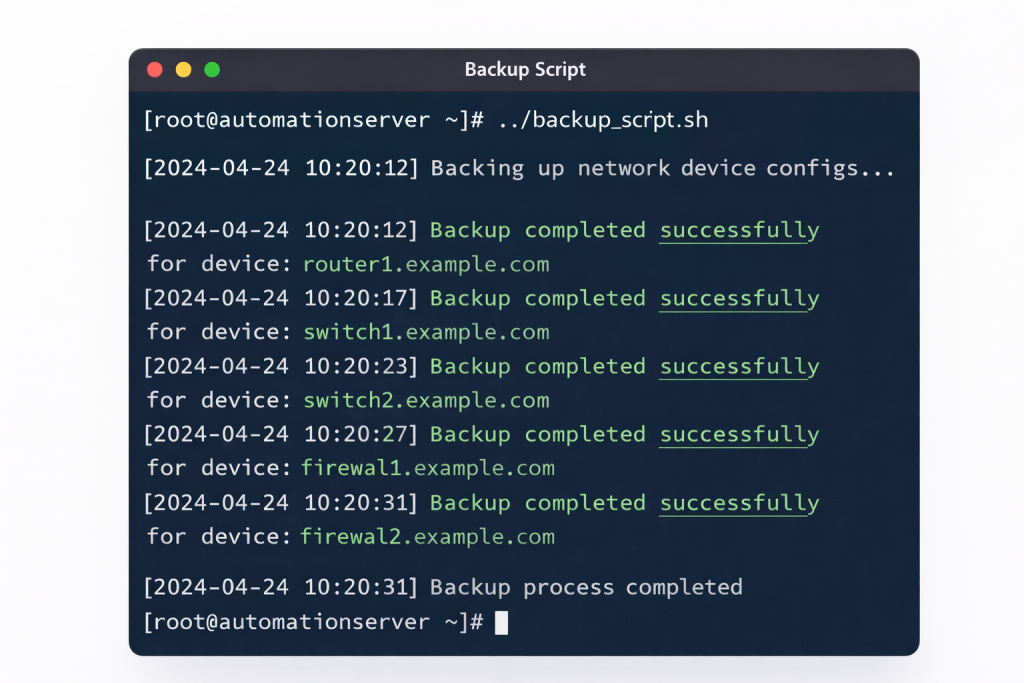
By the end of this course you’ll have a Linux system set up that acts as your network automation platform. On that system you’ll have scripts that automatically back up all your network devices every night.
Those backups will be organised properly, version controlled with git, and if a configuration changes you’ll get an email with exactly what changed.
You’ll have the ability to analyse log files from your entire network. So when something goes wrong you can quickly grep through thousands of log entries to find the problem. Generate reports showing error trends, device health, security events.
You’ll have scripts that can parse device output and generate documentation automatically. Instead of manually updating a spreadsheet every time you add a VLAN or change an IP address, you’ll have a script that pulls that information directly from your devices and generates the documentation for you.
Let me give you a real example from when I was learning this stuff. Had this recurring problem where switch configurations kept changing and nobody knew who was making the changes or when they were happening.
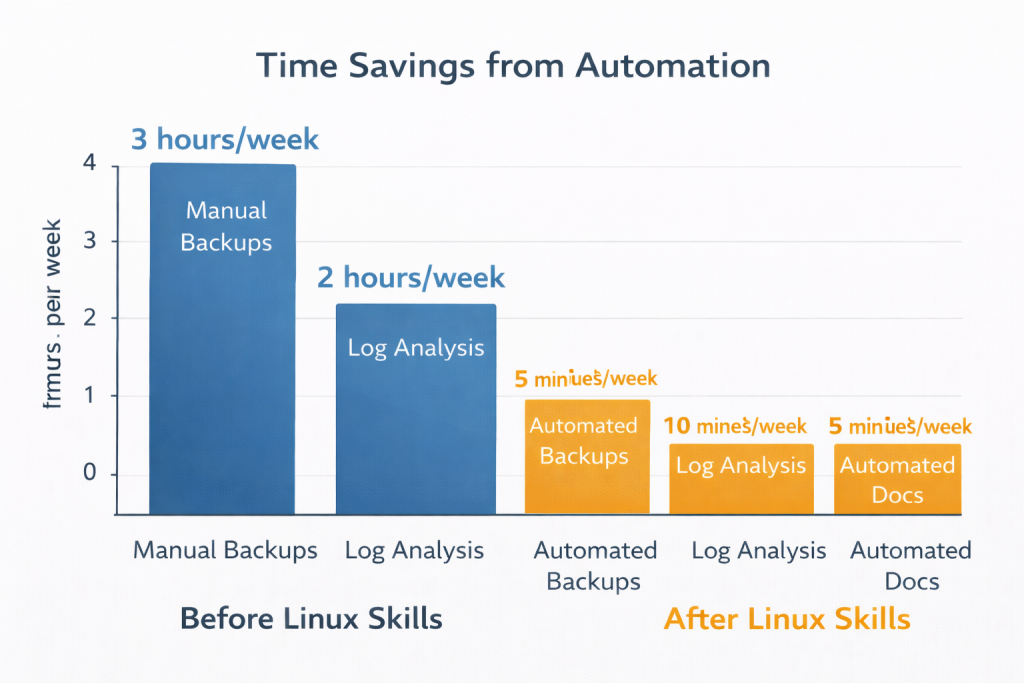
Without Linux skills I was manually logging into each switch every week, copying the configs, comparing them to last week’s version in notepad. Took about three hours every Friday afternoon.
After learning Linux I wrote a script that ran automatically every night. Backed up every device, compared it to yesterday’s backup, and if anything changed it emailed me a diff showing exactly what was different.
Took me maybe two hours to write that script. Saved me three hours every single week. And it never forgot to do it, never got lazy about it, just ran perfectly every night without me having to think about it.
That’s the kind of stuff you’ll be building.
How This Course Is Different
Most Linux courses are designed to teach you how to be a system administrator yeah. They focus on things like managing users, configuring web servers, setting up databases.
That’s all fine if you want to be a sysadmin, but that’s not what you need.
This course is different. Every single lesson is taught through networking. So when I teach you about grep I’m not showing you how to search random text files, I’m showing you how to search device configurations and log files.
When I teach you about shell scripting we’re not building calculators or games, we’re building backup scripts and health check scripts.
All the examples use real network scenarios. We’ve got realistic device configurations, actual syslog data, real network topologies. Everything is relevant to what you actually do.
Now we’ll be working with dummy data for most of the course. I’ve created twenty realistic device configuration files – routers, switches, firewalls, wireless controllers. I’ve created realistic syslog files with actual network events in them. You’ll download all of this and use it for the exercises.
For certain lessons, particularly when we’re doing SSH demonstrations, I’ll also show you how it works with live devices in GNS3. But most of the time you’ll be working with the dummy data, which means you can follow along even if you don’t have a lab environment set up yet.
Each lesson builds on the previous one. We start with the basics, make sure you understand those, then we layer on more complexity. By the time we get to the automation modules you’ll have all the foundational knowledge you need to understand what’s happening.
And everything we build in this course is stuff you can actually use in production. Not toy examples or academic exercises. By the end of this course you’ll have working scripts and systems you can take into your job and use immediately.
Where Linux Skills Actually Help
Let me give you some specific examples of where Linux skills make your life easier as a network engineer.
Log analysis. You’ve got a switch that’s having problems. Without Linux skills you’re SSH-ing to the switch, looking through logs manually, maybe copying stuff into a text file, trying to work out what’s happening.
With Linux skills you can pull the log file, grep for specific patterns in seconds, count occurrences, see exactly when events happened, generate a report. What might have taken twenty minutes manually, you’ll do in thirty seconds.
Configuration management. You’ve got fifty switches that all need the same VLAN configuration. Without Linux skills you’re SSH-ing into each one, copy-pasting configs. Takes hours and you’ll probably make a mistake somewhere.
With Linux skills you write a script once, it connects to all fifty devices, applies the config, verifies it worked, and gives you a report. Takes five minutes to run and it does it exactly the same way on every device.
Change detection. Someone’s been making unauthorised changes to router configs and you don’t know who or when. Without Linux skills you’re manually comparing configs, trying to spot differences.
With Linux skills you set up automated daily backups with git version control. Every change is tracked, dated, and you can see exactly what was modified. Plus you get automatic alerts when changes happen.
Documentation. Your network documentation is out of date because nobody updates it when things change. Without Linux skills you’re manually going through devices, updating spreadsheets, hoping you don’t miss anything.
With Linux skills you write scripts that pull information directly from devices and generate documentation automatically. VLAN databases, IP address lists, interface inventories, all pulled fresh every time you run it.
Compliance checking. You need to verify that all devices meet security standards. SSH version 2 only, enable secret configured, no default SNMP communities. Without Linux skills you’re manually checking each device.
With Linux skills you write a compliance checker that scans all your configs, generates a report of violations, and emails it to you. Run it weekly and you always know compliance status.
What You Need to Get Started
Right so what do you actually need to start learning Linux for network engineering?
A computer. That’s it really. Could be Windows, Mac, doesn’t matter. You’ll install a Linux virtual machine on it using VMware or VirtualBox.
Don’t need powerful hardware. I’ve run Linux VMs on a ten-year-old laptop without any problems. Two gigabytes of RAM and twenty gigabytes of disk space is plenty for what we’re doing.
Don’t need a lab full of network devices either. We’ll work with dummy data for most exercises. If you want to do the optional live demonstrations later you can set up GNS3, but that’s not required to follow along.
What you do need is time to actually work through the exercises. Can’t learn this stuff just by watching videos. You need to actually type the commands, run the scripts, make the mistakes, fix them, and learn from it.
Reckon if you put in a couple of hours a week you’ll get through the course in a few months. Do more and you’ll finish faster. The key thing is consistency, not cramming.
The Learning Path
So here’s roughly how the course is structured and what you’ll learn when.
We start with absolute basics. Installing Linux, navigating the file system, viewing files, searching with grep. Might seem boring but when you’ve got a syslog file with ten thousand lines and you need to find all errors from a specific switch, you’ll be glad you know grep properly.
Then we move into managing network configuration files. Organising them, backing them up, comparing them, securing them with proper permissions. In the real world you’re going to have hundreds of config files and you need to know how to manage them properly.
After that we get into log analysis. This is where things start getting really useful. Using grep, awk, sed to analyse logs, extract information, build reports. Setting up centralized logging with rsyslog so all your devices send logs to one place.
Then automation. This is the big one. Writing shell scripts to automate backups, using SSH to connect to devices and pull configurations, scheduling scripts with cron, adding change detection, integrating with git for version control.
By the time we finish automation you’ll have built a complete automated backup system that runs every night, backs up all your devices, detects changes, commits them to version control, and emails you a report. Production-ready stuff.
We’ll also cover parsing device output, generating documentation automatically, Linux system essentials, Linux networking, and then put it all together with integration projects building complete production systems.

Common Mistakes People Make
Let me tell you about mistakes I see people make when learning Linux as a network engineer.
Biggest one is trying to learn too much at once. People think they need to understand everything about Linux before they can start automating. Complete nonsense.
You don’t need to be a Linux expert. You need to know enough to write backup scripts and analyse logs. That’s maybe twenty percent of what a Linux sysadmin knows. Focus on that twenty percent.
Another mistake is not practicing enough. Watching videos is fine but you won’t actually learn unless you’re typing the commands yourself. Making mistakes, fixing them, working through problems. That’s how you learn.
People also skip the basics thinking they’re boring. Then they get stuck later because they don’t understand file permissions or how pipes work. The basics are boring but they’re important. Don’t skip them.
And here’s one that caught me out. People try to memorise commands instead of understanding concepts. You don’t need to memorise every option for grep. You need to understand what grep does and how to look up the options when you need them.
Use the man pages, use Google, use the help function. Nobody expects you to have every command memorised.
Real Benefits You’ll See With Linux for Network Engineers Knowlege
Right so what benefits will you actually see from learning Linux for network engineering?
First thing is time savings. Tasks that took hours will take minutes. I’ve seen scripts that back up a hundred devices in five minutes. Would take you all day to do that manually.
Better accuracy. Scripts do exactly what you tell them every single time. They don’t get tired, don’t make typos, don’t forget steps. Manual processes have errors. Automated processes are consistent.
Faster troubleshooting. When something goes wrong you can analyse thousands of log lines in seconds. Find patterns, count occurrences, correlate events. Manual log analysis takes forever and you’ll probably miss stuff.
Up-to-date documentation. When your scripts generate documentation from live devices it’s always current. Manual documentation goes out of date the minute you finish writing it.
Career advancement. Linux and automation skills make you more valuable. More job opportunities, better salaries, more interesting work. I’ve seen people get promoted purely because they brought automation skills to their team.
Less boring work. Once you’ve automated the repetitive stuff you spend more time on interesting problems and less time on tedious manual tasks.
Why Networking Examples Matter
This is important. Most Linux courses use generic examples that have nothing to do with networking. Storing people’s names, calculating ages, managing shopping lists.
Complete waste of time for network engineers.
This course uses networking examples for everything. When we learn about variables we’re storing device hostnames and IP addresses. When we learn about loops we’re iterating through device lists. When we write scripts we’re automating network backups.
Why does this matter? Because you’ll actually understand how to apply what you’re learning to your real job. Generic examples teach you Python or Linux in theory. Networking examples teach you automation in practice.
Plus it’s much easier to stay motivated when you’re learning stuff you can use immediately. Hard to care about calculating mortgage payments when you’re trying to automate VLAN configuration.
What About Certification
Now you might have heard about LPI-1 certification. It’s a Linux certification that validates fundamental Linux skills.
By the end of this course you’ll have covered everything needed for LPI-1. Every objective, every topic, all of it. So if you want to sit the exam you’ll be ready for it.
But that’s not the main goal here. The main goal is giving you practical Linux skills you can use in your job. The certification is just validation that you’ve learned the material properly.
Some people will want to sit the exam, some won’t. Either way you’ll have the skills. That’s what matters.
Getting the Most from This Course
Right so how do you actually get the most value from this course?
Work through the lessons in order. Don’t skip around. Each lesson builds on previous ones and if you skip stuff you’ll get confused later.
Actually do the exercises. Can’t stress this enough. Watching me do it isn’t the same as doing it yourself. Type the commands, run the scripts, make the mistakes, fix them.
Take notes on things that confuse you. Then go back and work through them again until they make sense. Don’t just move on hoping it’ll become clear later.
Apply what you learn to your actual work. As soon as you learn something new, think about how you could use it in your environment. Write a script to solve a real problem you have. That’s how it sticks.
Don’t worry about making mistakes. Everyone makes mistakes learning Linux. The terminal won’t explode if you type the wrong command. Well, it might if you type “rm -rf /” but we’ll cover that later.
And ask questions. If something doesn’t make sense, ask. Much better to get it sorted early than struggle through confused.
What Happens Next
So in the next lesson we’re going to get started with actually installing Linux. We’ll set up a virtual machine, get you logged in, and start working with the terminal.
You’ll install either Ubuntu or CentOS in VMware or VirtualBox. I’ll show you both options so you can pick whichever you prefer.
Then we’ll get comfortable with basic navigation. Opening the terminal, understanding the prompt, moving around directories, viewing files. The absolute fundamentals you need before we can do anything else.
Once you’re comfortable with that we’ll start searching files with grep. Because that’s immediately useful – being able to search through configs and logs is something you’ll use constantly.
From there we build up progressively. File management, log analysis, automation, all building on what came before.
By the end you’ll have working automation systems and practical Linux skills you can use every single day.
Why I’m Teaching This
Let me tell you why I’m qualified to teach you this and why I’ve structured the course this way.
I’m a network engineer. Not a Linux administrator, not a software developer, a network engineer. I learned Linux specifically to solve network engineering problems.
Everything I’m teaching you comes from actually using it in production environments. Not theoretical knowledge, practical experience. Scripts I’ve written that run in real networks backing up real devices.
I know what works and what doesn’t because I’ve made all the mistakes already. Spent hours debugging scripts that should have worked. Got confused by Linux permissions. Struggled with grep syntax. Made all the cock-ups.
And I know what network engineers actually need to learn because I am one. I know you don’t need to understand kernel compilation or systemd internals. You need to know how to automate backups and analyse logs.
That’s why this course focuses on practical networking skills instead of comprehensive Linux knowledge. Because I know what you actually need.
Right, That’s the Introduction Sorted
So that’s why Linux matters for network engineers. It’s already running your infrastructure, job market expects it, and it makes your work much more efficient.
You’re going to learn Linux through networking examples, build real automation systems, and end up with practical skills you can use immediately.
Next lesson we’ll get Linux installed and start working with the terminal. That’s when the actual learning begins.
Alright, let’s get started then.
External Link: Linux Foundation – What is Linux – comprehensive overview of Linux and its applications in enterprise infrastructure
Pingback: Linux for Network Engineers Lesson 2: Installing Linux VM - RichardKilleen